
What if you could
cheat during sales meetings?
Stand is real-time sales meeting support AI — bot-free, runs on the rep's desktop. Deliver consistently high-quality deals without relying on experience, instinct, or memory.
Sales Agent (New Deal)
Akira Trading Co. · Mr. Tanaka · Google Meet
Sorry — back to the earlier point. What kind of timeline should I expect from contract to first use?
About two weeks from contract to live use in a standard case. Onboarding can be as fast as three business days.
Today we use Notion and Google Docs, but reviewing recordings afterwards eats a lot of time...
Dig into the pain with the existing toolset
"Which part costs the most time — transcription, key-point extraction, or meeting notes? Which is the heaviest burden?"
Got it. Roughly how many hours a week do you spend on after-meeting review?
Depends on the person, but for me it's about 15 hours a week. The team total is probably over 50 hours.
- Hear the company's pain points
- Quantify the hours spent
- Identify existing tools
- Confirm decision maker
- Timeline for adoption
- TMr. Tanaka12:26
Sorry — back to the earlier point. What kind of timeline should I expect from contract to first use?
- MMisaki12:27
About two weeks from contract to live use in a standard case. Onboarding can be as fast as three business days.
- TMr. Tanaka12:28
Today we use Notion and Google Docs, but reviewing recordings afterwards eats a lot of time...
- ✦AI suggestionMr. Tanaka's remarkAdopted
Dig into the pain with the existing toolset
"Which part costs the most time — transcription, key-point extraction, or meeting notes? Which is the heaviest burden?"
- MMisaki12:30
Got it. Roughly how many hours a week do you spend on after-meeting review?
- TMr. Tanaka12:31
Depends on the person, but for me it's about 15 hours a week. The team total is probably over 50 hours.
Discovery progress
Sales Agent (New Deal)- Hear the company's pain points12:08
Hours spent on review are the main pain
- Quantify the hours spent12:31
15h/wk (Mr. Tanaka) · team total 50h+
- Identify existing tools12:28
Notion / Google Docs. No audio analysis yet
- Confirm decision maker
Plan to confirm via suggestion
- Timeline for adoption12:33
Targeting Jan 2026
Structural problems on the sales floor
Three structural problems no individual effort can solve.
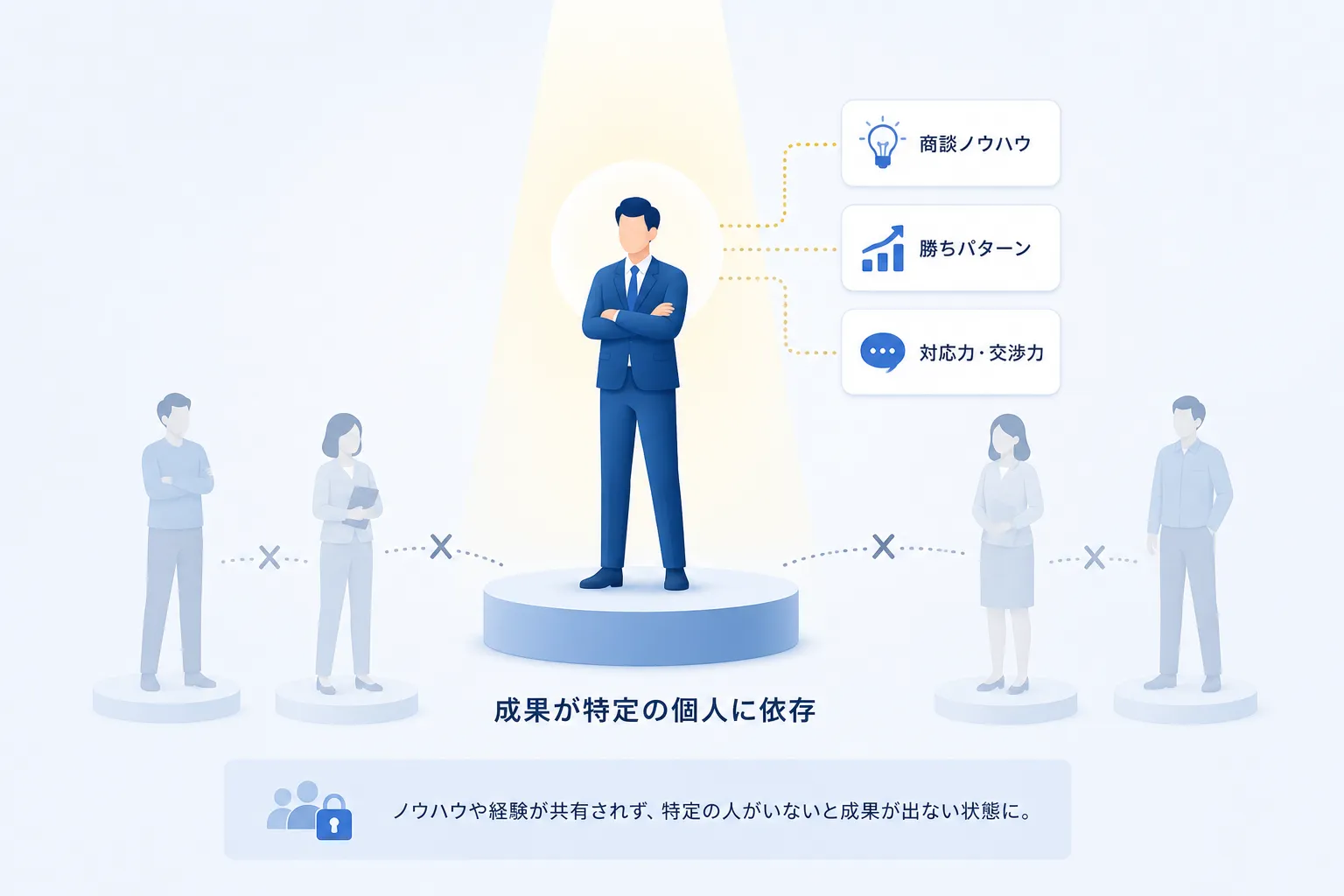
Outcomes depend on the rep
Outcome and quality hinge on who runs the call. The gap between veterans and new hires shows up directly in deal quality.
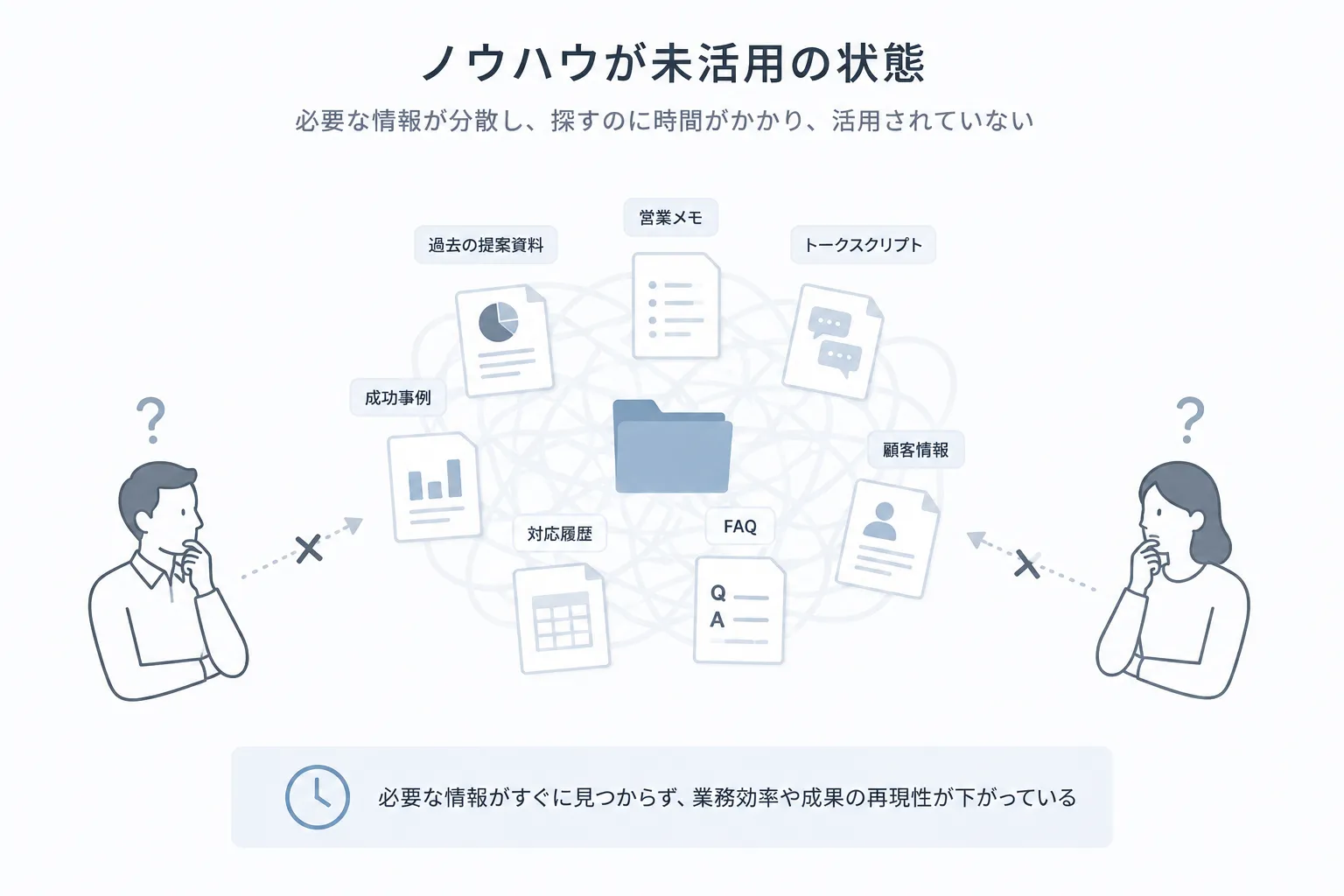
Knowledge that can't be used in the moment
The playbooks and decks exist, but they can't be opened mid-meeting. The information is right there, yet unusable.
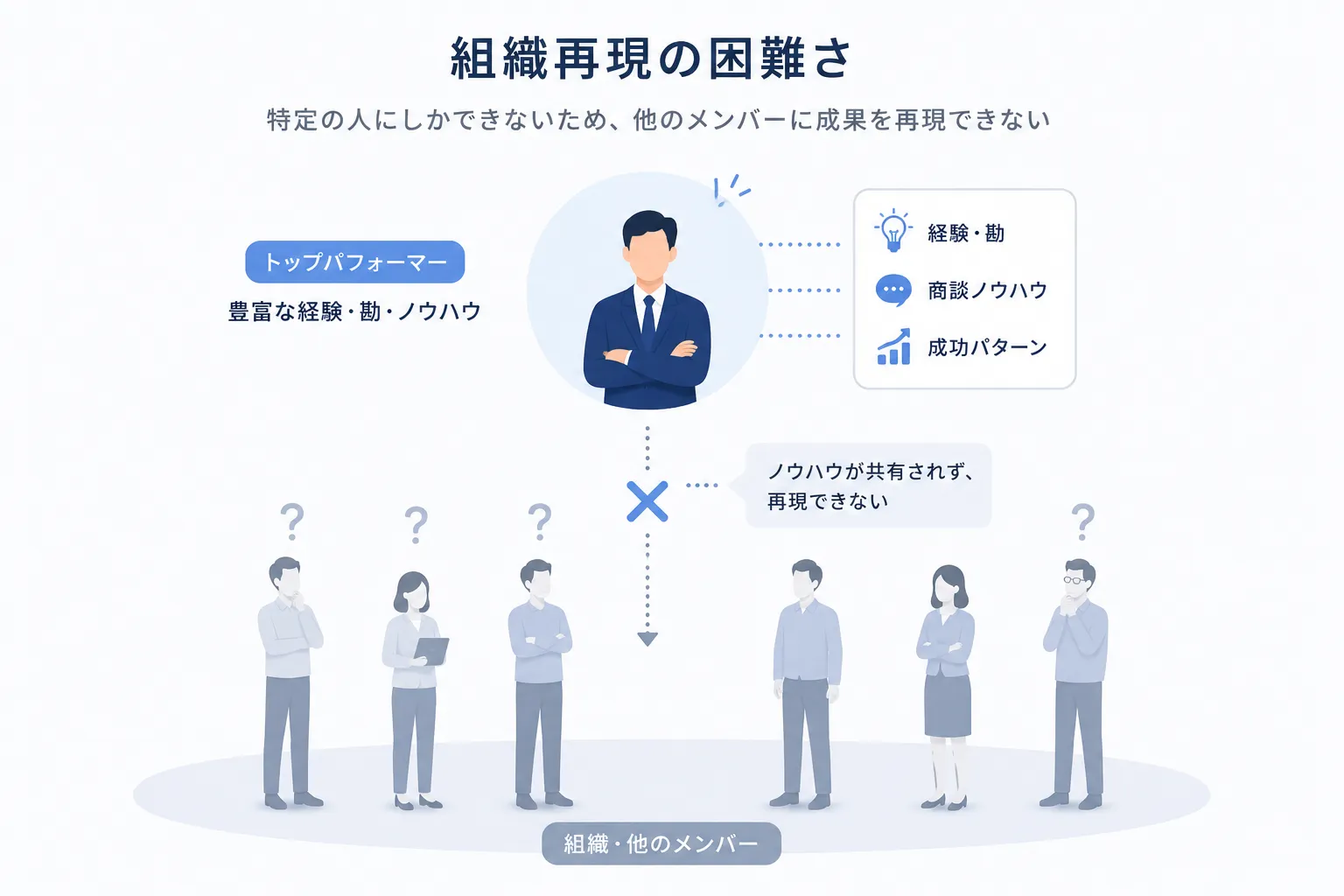
Hard to reproduce as an organization
Sales that lean on personal instinct and memory make it hard to reproduce results consistently across the organization.
Each of these is a structural problem — out of reach of any individual rep's effort.
The real bottleneck
Live conversations create a cognitive load humans can't absorb alone.
Understand exactly what was said
Track what's already been covered
Decide what to ask next
Steer the conversation and make decisions
Beyond what one human can absorb
Doing all of these in parallel exceeds what one human brain can sustain.
Download materials
See exactly how Stand solves this — in the deck.
Features, use cases, and pricing — all in one PDF.
The four functions of Stand
Four AI assists, one for each beat of the meeting.
Real-time support exactly where you need it, in the flow of the conversation.
Function 1
Real-time transcription
Stand transcribes the conversation in real time. Reps can stop taking notes and focus on listening. The transcript also feeds the discovery and recommendation engines.
No more note-taking. Listen, respond, and lift the quality of every meeting.
Function 2
Discovery progress at a glance
Pre-defined discovery items appear as a live checklist. Each item ticks off automatically as it gets covered, so the gaps stay visible mid-conversation.
Zero gaps in discovery. Fewer 'I'll get back to you' moments.
- Hear company pain points
- Quantify current hours spent
- Identify existing toolsAsk this next"What tools are you using for this today?"
- Confirm decision maker
- Timeline for adoption
Function 3
Pitch and product suggestions
From the discovery so far, Stand summarizes the customer's pain and interest, then suggests the right product and the next phrase to say — tuned to the flow of the conversation.
Make sharp recommendations without relying on experience.
Pulling together post-meeting notes in Notion takes us a lot of time — it's a real drag.
Dig in: quantify the pain
"How many hours roughly does that take you per week?"
How many hours roughly does that take you per week?
Function 4
SFA / CRM auto-sync
After the meeting, Stand structures the discovery, the pitch history, and next actions, then writes them straight to Salesforce or HubSpot. Zero manual entry.
No more SFA grunt work. Deal data accumulates automatically.

Where Stand sits
Tools exist for before and after the meeting. Nothing exists for the moment itself.
Before the meeting
Role-play, playbooks, manuals
- Can't react to unexpected topics
- Can't prevent discovery gaps
- Can't surface the right product in the moment
- Can't stop opportunity loss
During the meeting (real time)
Stand
- Analyzes the conversation in real time
- Catches discovery gaps as they happen
- Surfaces the best product and phrasing instantly
- Eliminates opportunity loss from the live deal
After the meeting
SFA, recordings, notes
- Lost opportunities can't be recovered
- Discovery gaps only surface afterwards
- Recommendations slip to the next meeting
- Mid-conversation judgment can't be coached
Bot-free — invisible to your customer
A desktop app that keeps the AI invisible to the other side of the call.
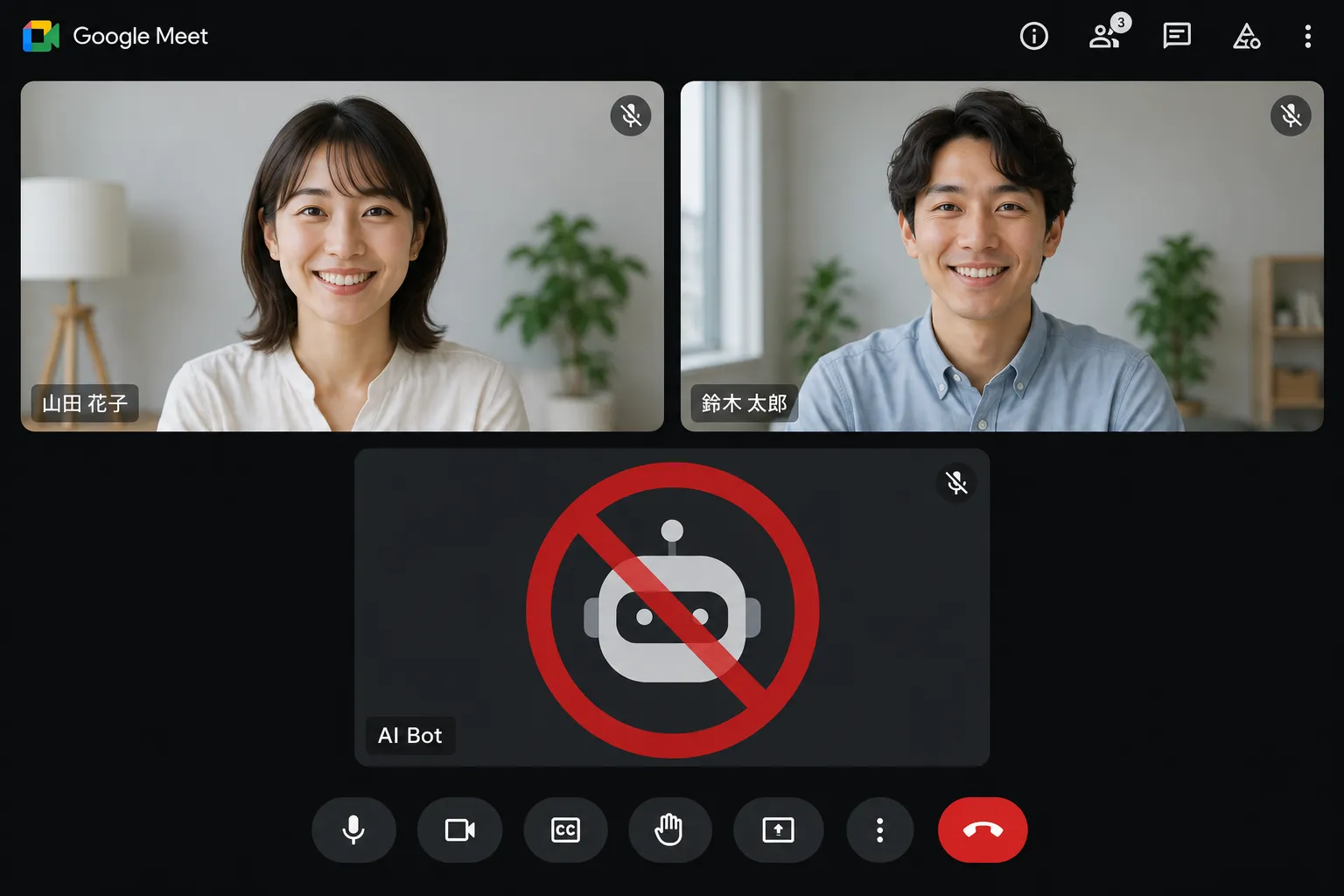
No bot in the meeting
Other AI sales tools join the call as a bot — and your customer sees it. Stand runs as a native desktop app on the rep's machine. No bot ever joins the meeting.
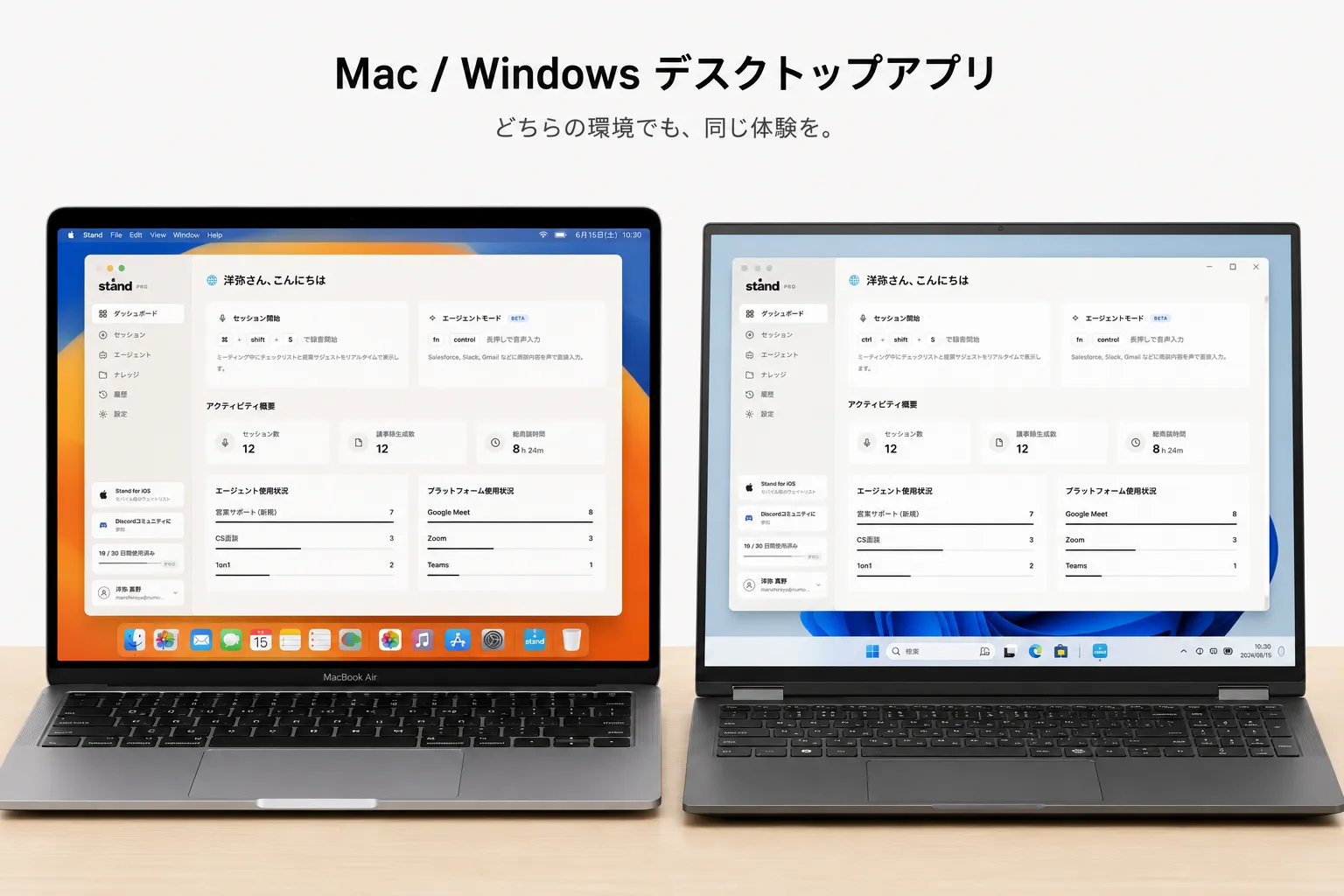
Mac / Windows desktop app
No browser required. Install and use immediately. The Stand window stays alongside your meeting window with fast, stable performance built on Electron + React.
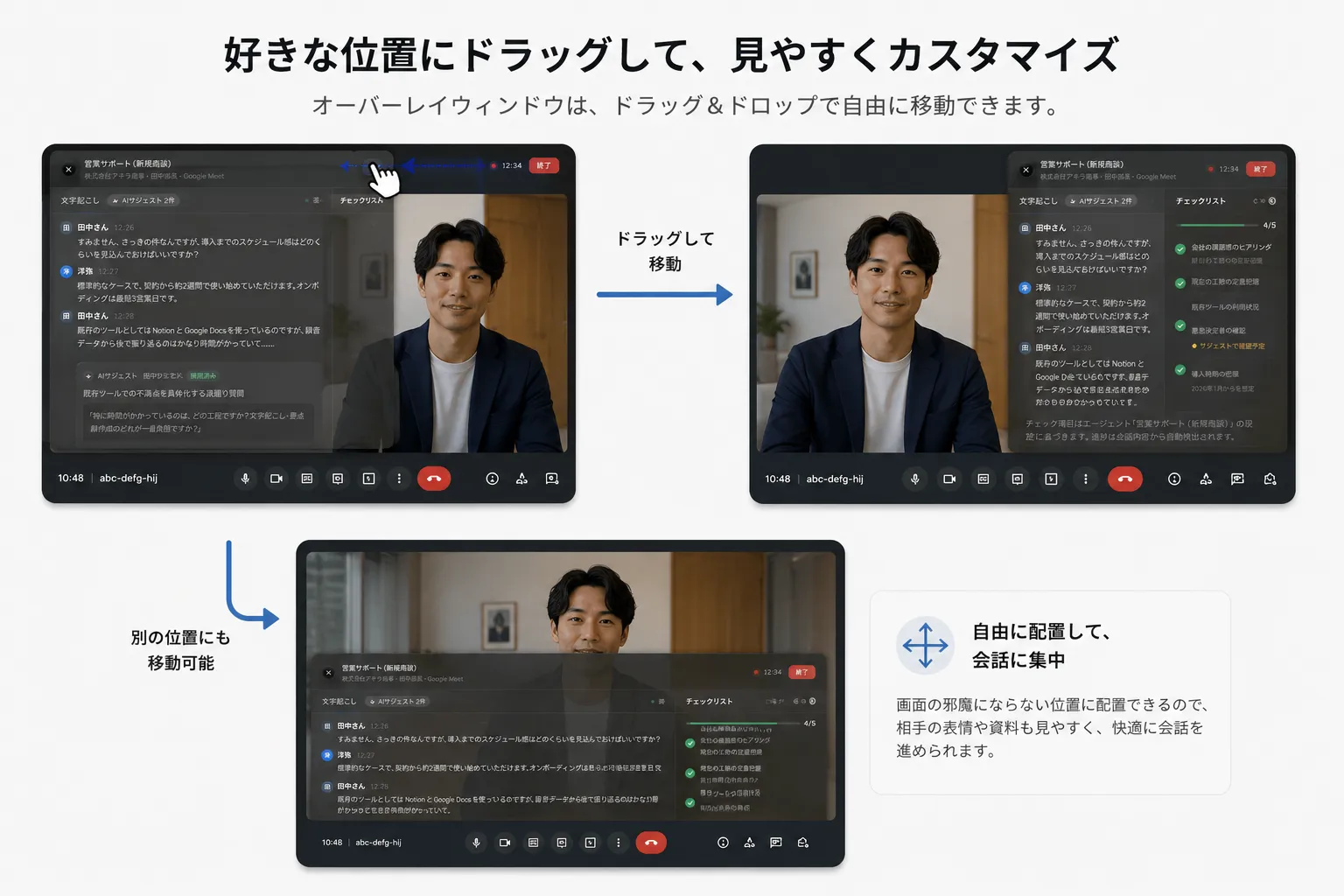
Follows your gaze
Drag the Stand window anywhere alongside your meeting view so it sits exactly where you want.
Download materials
Ready to share with stakeholders.
Features, pricing, rollout flow — everything stakeholders need to evaluate Stand.
POC trial results
The numbers behind Stand's impact
Hearing completion rate
Discovery gaps drop dramatically.
Meeting quality score
Gap between veterans and new hires shrinks.
New hire ramp-up time
Time to first-quota-carry shortens.
What changes with Stand
Before / after Stand, the meeting transforms.
Big quality gap between veterans and new hires
AI rides along; every rep delivers the same quality
Items get missed and 'I'll get back to you' multiplies
Progress is tracked live so zero items get missed
Reps depend on memory; the right product rarely surfaces
The best product appears the moment the customer hints at the need
Top-seller know-how stays trapped in individuals
Train the AI once; the know-how becomes an org-wide asset
Customer use cases
Built for every sales floor that runs live meetings.
Works across industries and stages wherever real-time judgment matters.
Onboarding new hires fast
Train the AI on the playbook of your senior reps. Day-one hires deliver the same quality of meeting, slashing onboarding time.
e.g. SaaS, staffing, real estate
Selling complex, multi-SKU portfolios
Hundreds of SKUs are impossible to memorize. Stand surfaces the best-fit product based on what the customer just said, boosting pitch precision.
e.g. manufacturing, medical devices, IT distribution
Raising the floor across the team
Encode the patterns of top sellers into Stand and roll them out to the entire team. Build an organization that reproduces results without relying on personal instinct.
e.g. insurance, telecom, finance
Download materials
Industry-specific examples included.
SaaS, consulting, enterprise sales — the deck includes scenarios closest to your team.
Security and data management
Strict per-customer isolation for every meeting and account record.
Customer data is never shared or used outside its stated purpose.
Per-tenant data isolation
Each customer's data lives in an isolated environment. Data from different customers never co-mingles.
No external sharing or secondary use
We do not share customer data with third parties or use it for any purpose beyond your stated use case.
Granular access control
Access scope can be fine-tuned per user role and permission level.
Frequently asked questions
Download materials
See Stand in detail
Features, customer stories, and pricing — everything in one PDF you can share with your team or manager.
Get the AI that helps you in the meeting, not after.
Join the waiting list and we'll notify you first when access opens up.
Join the waiting list